If you have downloaded the Avidon mobile app, you can connect your fitness wearable or app to the Tracker system (you can ONLY do this using the mobile app). Syncing your data helps ensure your progress is accurately reflected and can support challenge participation, rewards, and overall progress tracking within your wellness program.
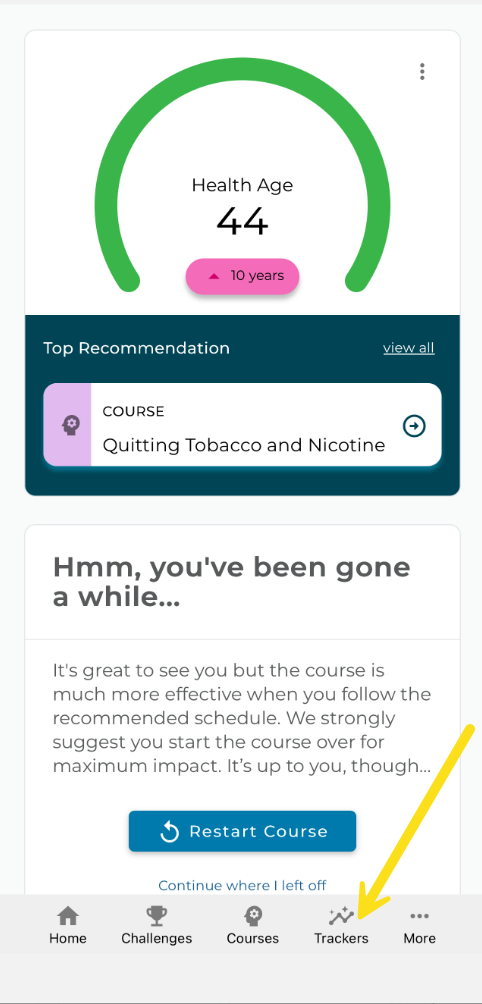
After logging in to the Avidon mobile app: Click on the Trackers icon from the menu at the bottom of the page.
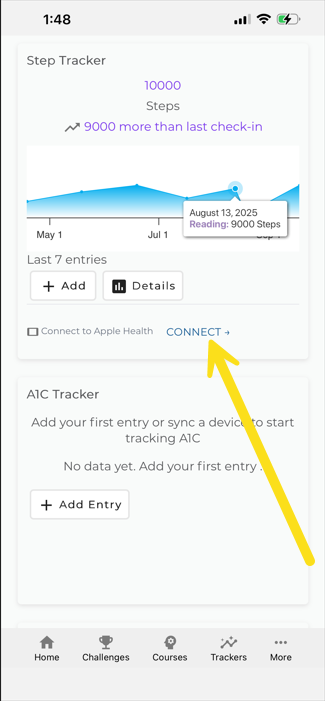
Navigate to the tracker you intend to sync and click on connect to select your wellness app
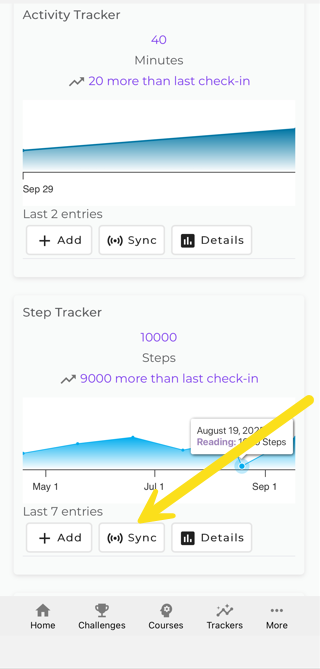
Once the connection to your wellness tracker is set, click on the sync button.
Was this article helpful?
That’s Great!
Thank you for your feedback
Sorry! We couldn't be helpful
Thank you for your feedback
Feedback sent
We appreciate your effort and will try to fix the article