The member details section presents information related to the member's account in two separate categories. Note that certain data only presents for admins with special permissions (PII related data, including any information that individually identifies the member).
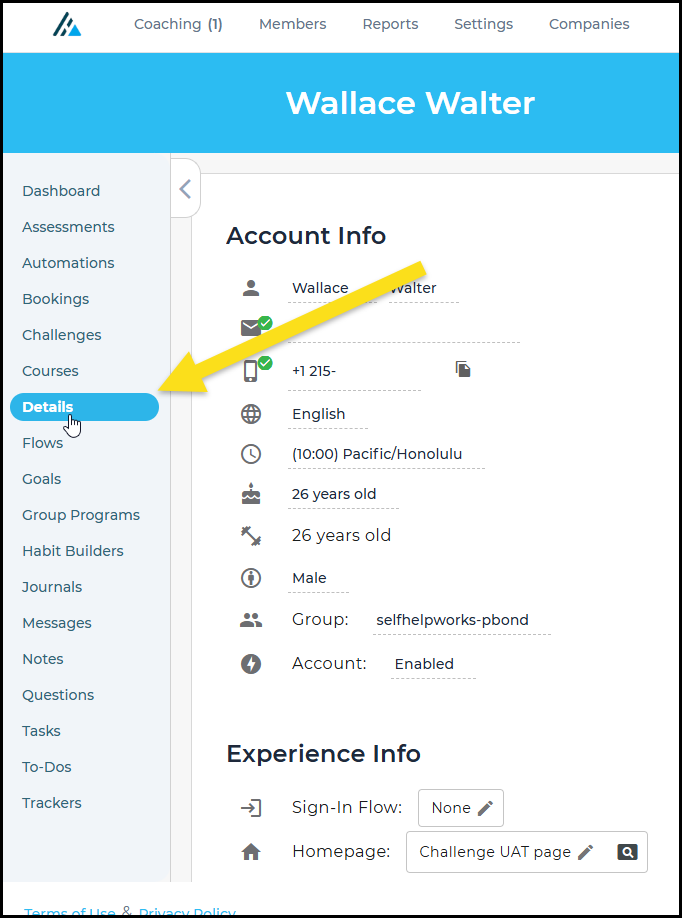
Once you are on the members dashboard, you can see the menu option for "Details" (you must enter this page to view the Registration Info section).
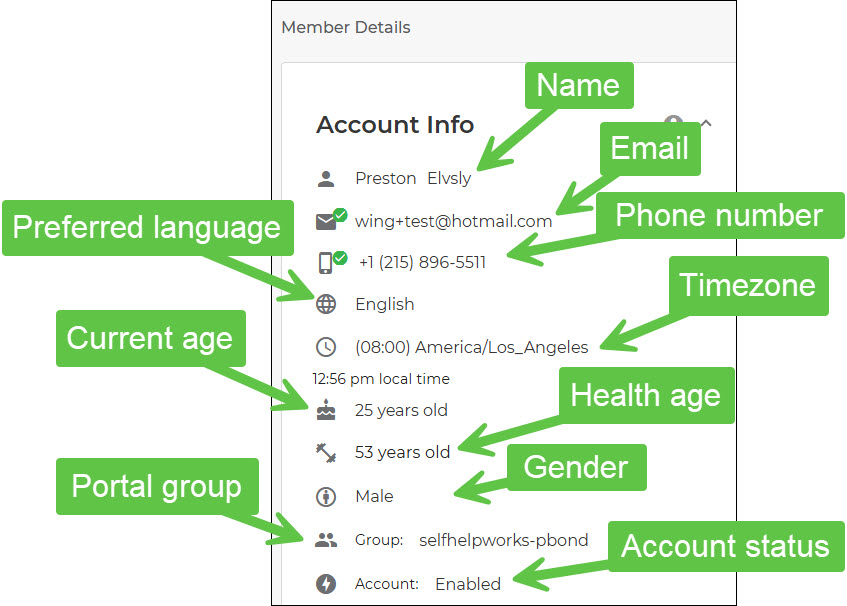
Identifying Each Field in the Account Info Section
The Account Info section contains editable data related to the member. To edit a field, hover over the existing entry and click, then update the information and select the checkmark.
Beneath the Account Info section is the Experience Settings section, in which you can assign the Homepage (any page that exists in the portal can be assigned) and the sign-in flow.
The Registration Info section contains the member's portal and group information and the dates the member was added and when they registered.
Was this article helpful?
That’s Great!
Thank you for your feedback
Sorry! We couldn't be helpful
Thank you for your feedback
Feedback sent
We appreciate your effort and will try to fix the article