The Avidon system enables messaging between coach admins and members in emails and in SMS messages.
When a coach sends a member an email, it can be viewed by the member in the portal’s messages center AND in their personal email account. In the Avidon admin, you can view a history of the member's messages in the member admin by clicking on "Messages" from the vertical menu:
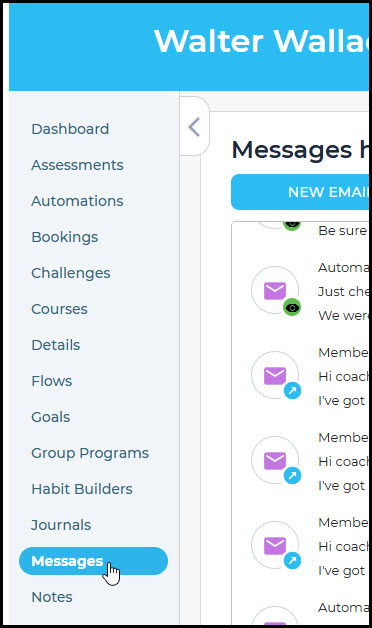
Here, you can view a history of the member's messaging, including what they've received and what they've sent. The type of message is indicated by either an SMS or an Email icon:
| SMS |  |
 |
You can further check details on individual message by either hovering over the icon or recognizing it by color and other details, as shown below:
| Draft |  |
| Outgoing |  |
| Outgoing and read |  |
| Incoming |  |
| Undelivered |  |
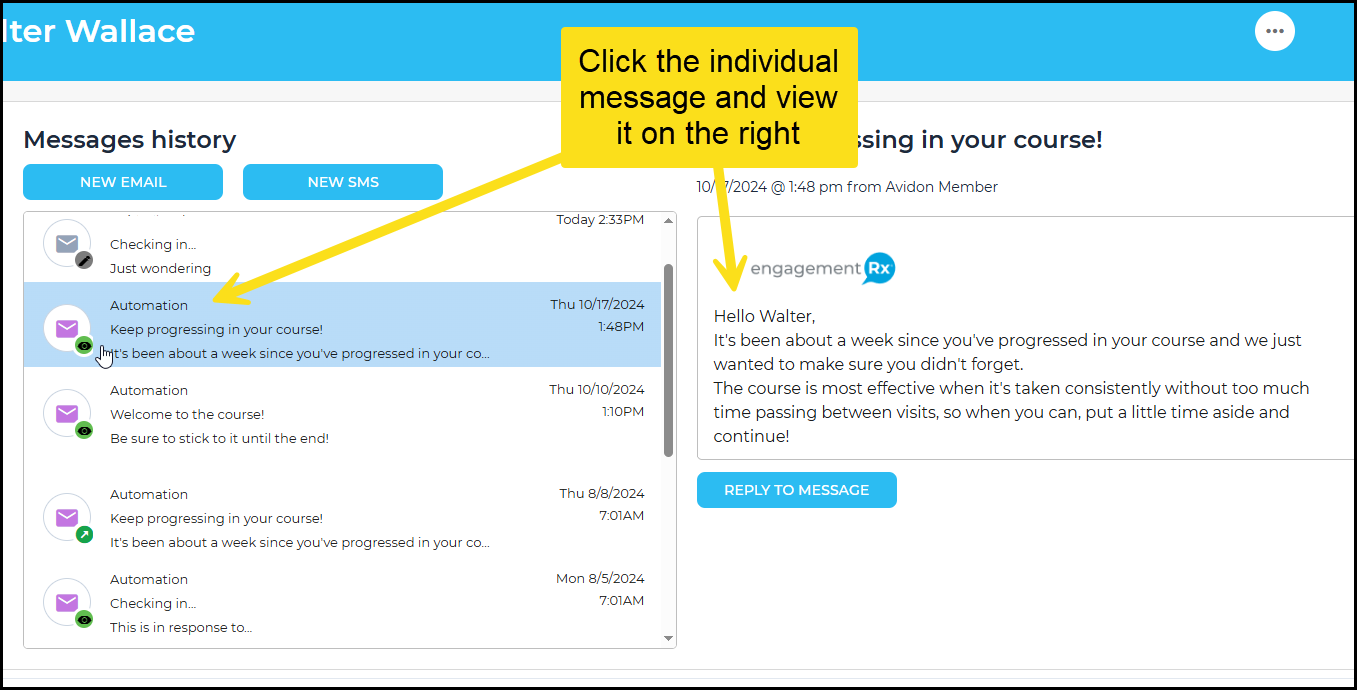
To view details about the message more clearly, including the message itself, click on the line of the message you want to see and it will open to the right:
Was this article helpful?
That’s Great!
Thank you for your feedback
Sorry! We couldn't be helpful
Thank you for your feedback
Feedback sent
We appreciate your effort and will try to fix the article